How to cancel your subscription or delete your account
This guide outlines how to cancel your plan subscription, as well as how to delete your Buffer account.
📝 Click here to cancel your subscription or delete your account. Only the account owner can access billing pages or delete accounts.
In this article:
Cancelling your subscription
The following steps are for cancelling subscriptions started on the desktop version of Buffer. For information on cancelling a mobile (in-app) subscriptions, please refer to Managing subscriptions from the App or Google Play Store.
- Click your profile avatar in the bottom left of your dashboard.
- Select Billing from the dropdown (or click this link).
- Click the three vertical dots, then select Cancel Plan.
- Review the channels that will lock. You'll see which channels will be locked if you continue (and which you'll keep on the Free plan).
- Tell us why you're leaving. Select a reason from the short survey. (Your answer helps us improve Buffer!)
- Review your Buffer activity. We'll show a summary of what you've accomplished with Buffer (posts published, channels managed, etc.) in case you'd like to stay.
- Confirm your cancellation. Click the final confirmation button to complete the cancellation. Your plan will remain active until the end of your current billing period.

📝 Notes:
- Once you cancel your subscription, you will still have access to our Free plan. Learn more about what happens when you downgrade to the Free plan here.
- If you have more than three channels connected and choose to cancel your subscription, you can choose which channels to keep active on the Free plan. Channels you don't select will be locked but will remain connected to your account. Learn more about What happens when you downgrade to the Free plan.
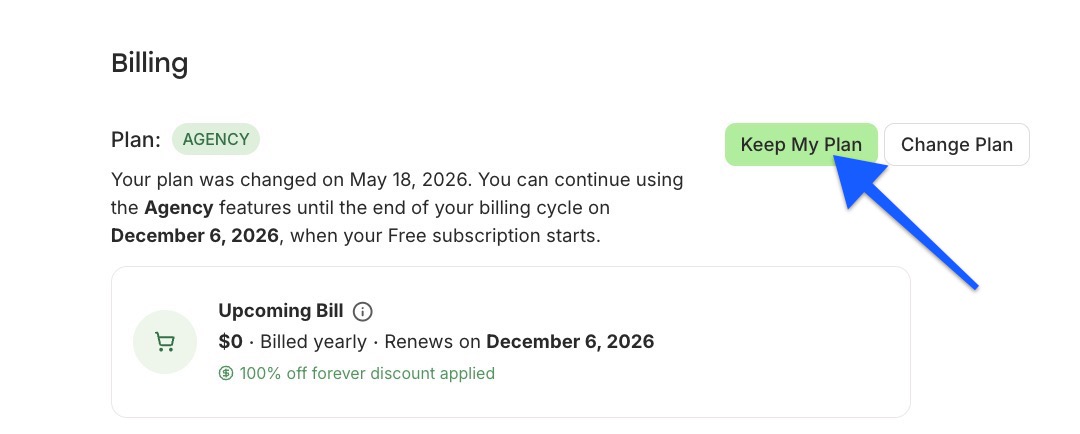
- Changed your mind? If you've cancelled but your billing period hasn't ended yet, you can reinstate your plan at any time before the cancellation date. From the Billing page, click Keep My Plan in the banner at the top — you'll keep all your channels, settings, and scheduled posts with no interruption.
Permanently deleting your Buffer account
⚠️ Please keep in mind that this is permanent and will delete all accounts associated to this email address. If you're subscribed to a paid plan, your subscription will be cancelled and your accounts will be deleted. Any posts you have published to your social media accounts through our publishing dashboard will remain in place.
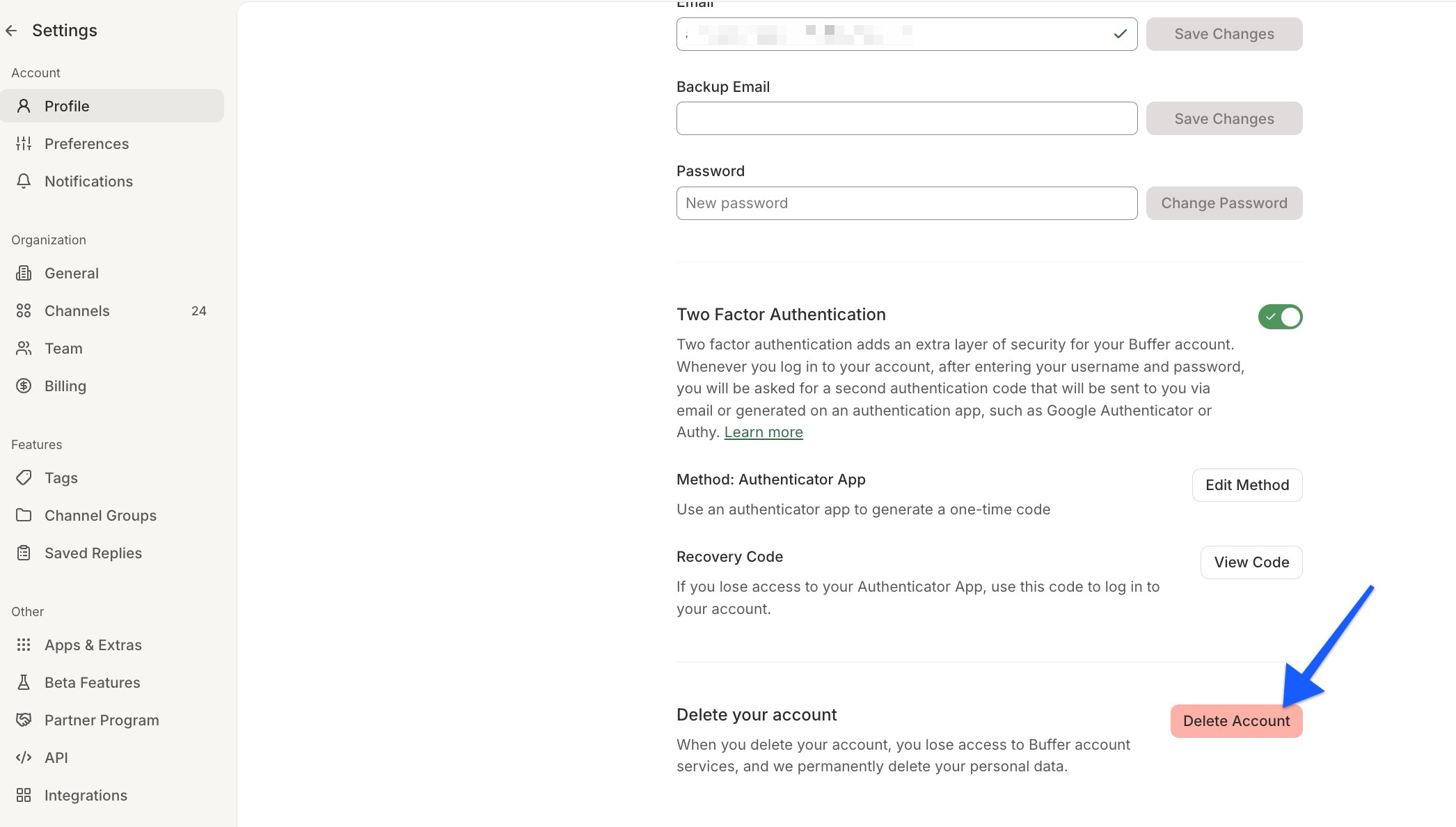
- Click your profile avatar in the bottom left of your dashboard and then click Settings from the drop down menu or click this link.
-
Click Delete My Buffer Account towards the bottom of the page.
- Enter your password and click Confirm.
- Choose the reason you're deleting your account, tick the "Yes, I'd like to delete my account" checkbox, and click Delete Account.
