Using free tools on the Buffer mobile app
Buffer's free tools give you a collection of handy content creation utilities right inside the app — no sign-up and no extra subscription required. Whether you need a hashtag suggestion, a catchy hook for your caption, or a cropped carousel image, free tools put everything in one place so you don't have to bounce out to a browser tab. Free tools are available to all users on both iOS and Android.
In this article:
What are Buffer's free tools?
Free tools are a collection of content creation utilities available inside Buffer — no sign-up or paid plan required to use them. On mobile, you'll find the same tools available at buffer.com/free-tools, plus one tool built natively for the app: the Carousel Cropper.
How to access free tools
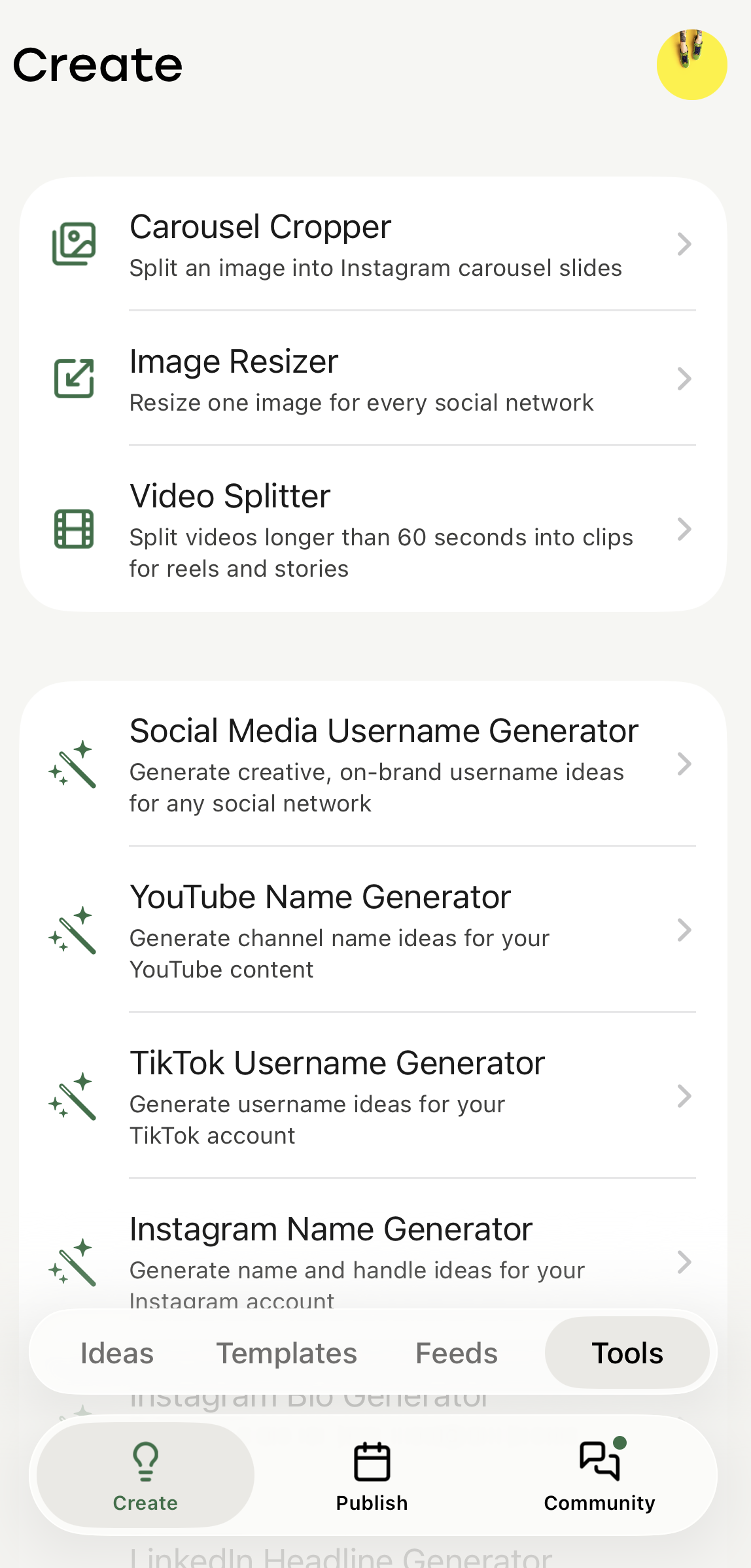
On iOS
- Open the Buffer app on your iPhone.
- Tap the Create tab in the bottom navigation bar.
- Scroll down to find the Free Tools section.
- Tap any tool to open it.
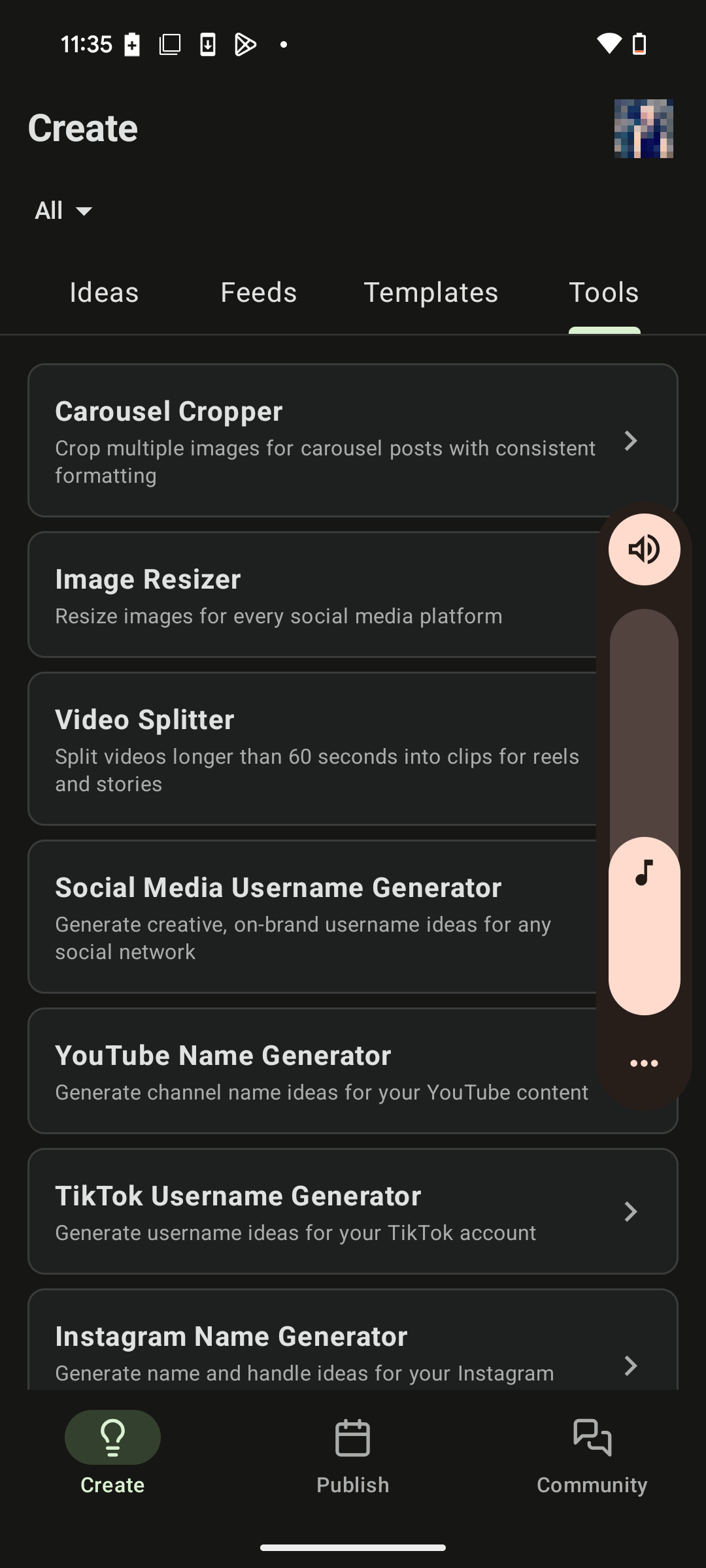
On Android
- Open the Buffer app on your Android device.
- Go to the Create space.
- Scroll to find the Free Tools section.
- Tap any tool to open it.
📝 Free tools are available on the latest version of the Buffer app. If you don't see the Free Tools section, check that your app is up to date.
Available tools
The following tools are available from the Create space on both iOS and Android:
- AI Hashtag Generator — Get hashtag suggestions tailored to your post topic in seconds.
- Hook Generator — Generate attention-grabbing opening lines for your captions.
- Blog to Social Media Post Repurposer — Turn a blog post into ready-to-schedule social captions.
- LinkedIn Headline Generator — Create professional headline options for your LinkedIn profile or posts.
- Instagram Bio Generator — Brainstorm creative, on-brand bio ideas for your Instagram profile.
- Instagram Name Generator — Brainstorm creative, on-brand username ideas for Instagram.
- YouTube Name Generator — Get channel name ideas for YouTube.
- Social media username generator — Generate on-brand username ideas across platforms.
- TikTok Name Generator — Brainstorm creative TikTok username ideas.
- Carousel Cropper — Crop images to the right dimensions for carousel posts, built right into the app so you don't need a separate editing tool.
- Image Resizer — Resize one image for every social network.
- Video Splitter — Split videos longer than 60 seconds into clips for reels and stories.
📝 Good to know: Carousel Cropper is the only tool built natively for mobile — the rest are the same tools available at buffer.com/free-tools.
Good to knows
📝 Good to Knows:
- Free tools are accessible on all Buffer plans, including the Free plan.
- Free tools are available on both iOS and Android — there are no platform-specific tools at this time.
⚠️ Content generated by AI tools (like the Hook Generator or AI Hashtag Generator) should always be reviewed before publishing — AI suggestions can miss context, tone, or brand nuance.
FAQ
Do I need a Buffer account to use free tools?
No. Free tools are available without signing up. If you want to save results, add them to your queue, or use them again later, you'll need a Buffer account.
Are the mobile free tools the same as the ones on buffer.com/free-tools?
Mostly, yes! Most of the tools you'll find in the app are the same ones available at buffer.com/free-tools. The Carousel Cropper is unique to the mobile app — it's built to work right on your device.
📝 Need help with free tools? Send us an email at hello@buffer.com and our Advocacy team will be standing by to assist!