Using Templates on the Buffer mobile app
Templates let you save and reuse content structures across your social media posts — so you can spend less time formatting and more time creating. On the Buffer mobile app, you can browse your templates and use them directly from the Create space.
📝 Templates are currently available on the Buffer iOS app (Beta). Android support is coming soon. Learn how to test Bufferbs Beta features here.
- Using Buffer on desktop? Check out Using Templates in Buffer for the full web experience.
In this article:
What are Templates?
Templates are reusable post structures that you create once and apply whenever you need them. They're great for recurring content formats — like weekly roundups, product announcements, or promotional posts — where the structure stays the same but the details change.
How to access Templates on mobile
- Open the Buffer app on your Android or iPhone.
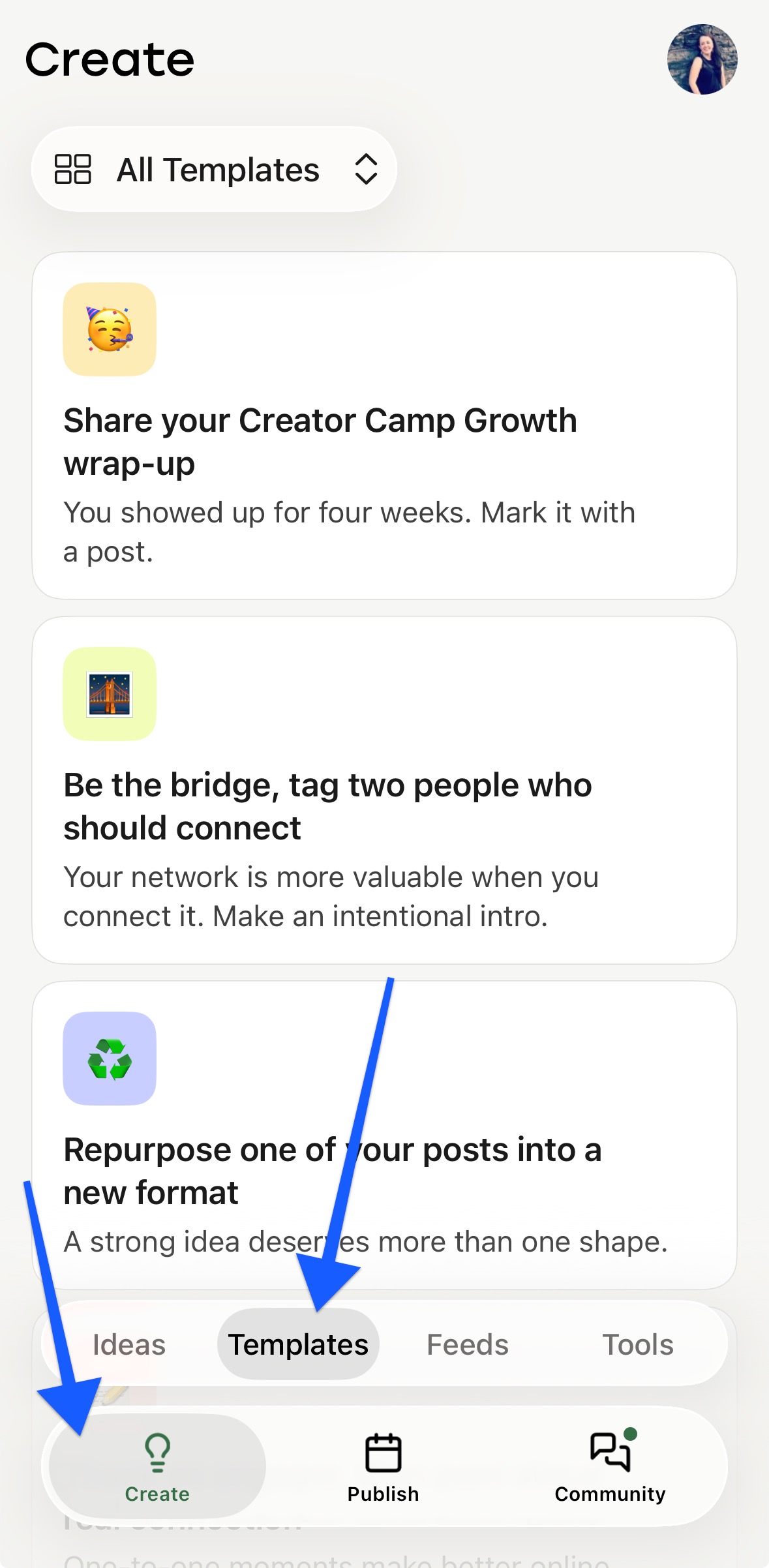
- Tap Create at the bottom of the screen.
- Tap the Templates tab.
You'll see all the templates available in your Buffer account.
How to use a template
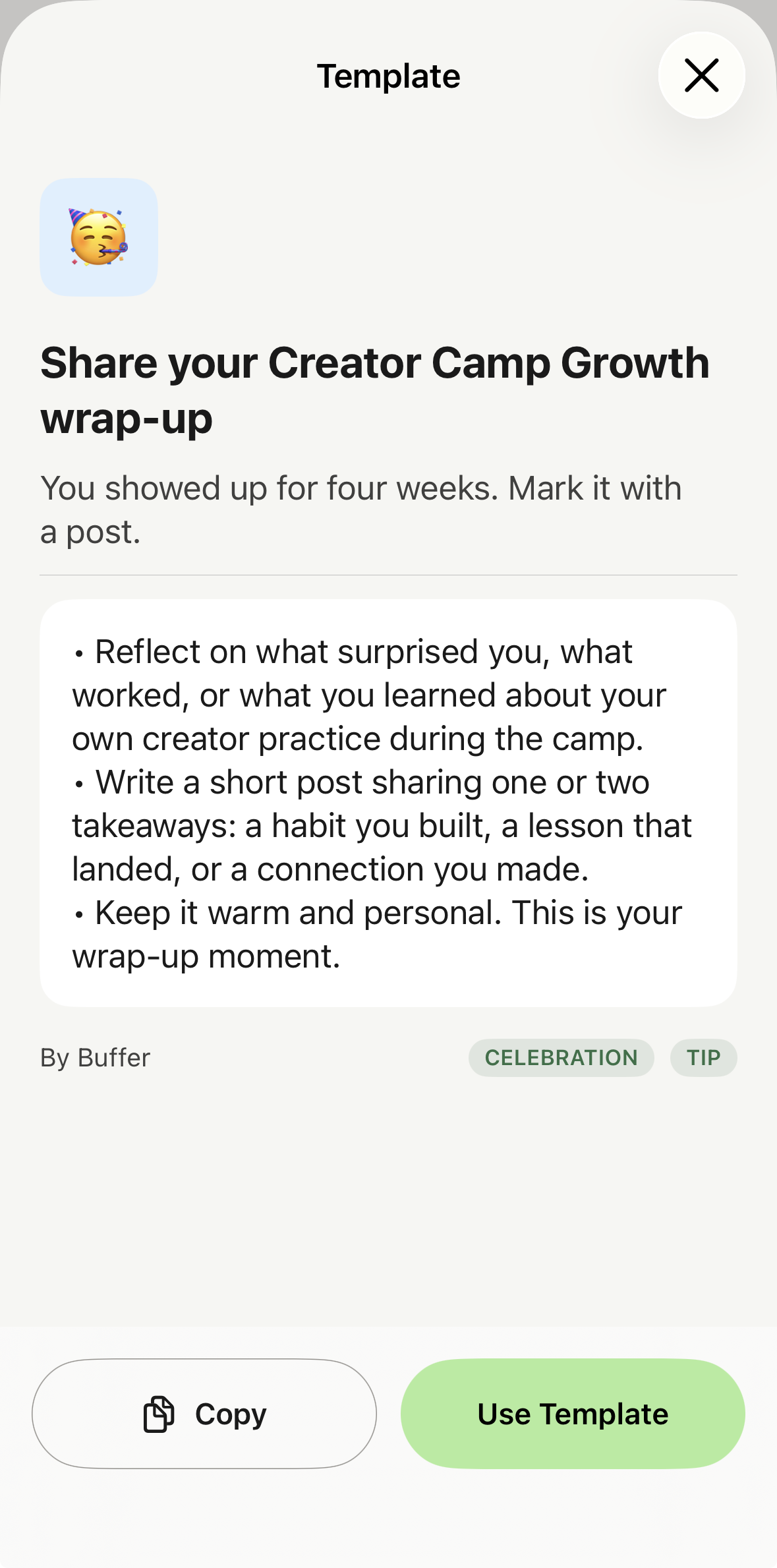
- In the Templates tab, tap the template you want to use.
- A sheet will appear with options to:
- Copy — copies the template text to your clipboard so you can paste it anywhere.
-
Use Template — opens the composer with the template content pre-filled, ready to edit and schedule.
- Make your edits and schedule or publish as usual.

💡 Tip: Use Copy if you want to paste the template into a post you're already working on, or into another app entirely.
Good to Knows
📝 Good to Knows:
- Templates on mobile require Buffer for iOS 15.6.0.6 or later. If you don't see the Templates tab, update your app from the Google Play Store or App Store.
- Templates are created and managed from the Buffer web app. You can't create or edit templates from the mobile app at this time.
FAQ
Can I create or edit templates in the mobile app?
Not yet — templates can only be created and edited from the Buffer web app at publish.buffer.com. Any templates you've already set up there will appear in the Templates tab on mobile.
I don't see the Templates tab. What should I do?
Make sure you're running the latest Buffer Beta via TestFlight. Open TestFlight on your iPhone, find Buffer, and tap Update if one is available. If you're up to date and still don't see the tab, reach out to us and we'll take a look.
Not on the Beta yet? Follow the steps in How to test Buffer's Beta features to join.
Is this available on Android?
Templates on mobile are currently available on iPhone only — Android support is coming soon. In the meantime, you can use Templates from the Buffer web app in the Create space.
How is this different from Ideas?
Ideas are a place to capture content drafts and inspiration before they're ready to schedule. Templates are reusable structures for posts you publish regularly. You can learn more about Ideas in the Buffer mobile app here.
📝 Need help with Templates? Send us an email at hello@buffer.com and our Advocacy team will be standing by to assist!